> ## Documentation Index
> Fetch the complete documentation index at: https://docs.agentbase.sh/llms.txt
> Use this file to discover all available pages before exploring further.
# Quickstart
> Get started with Agentbase AI agents in 2 minutes
Get your first AI agent running locally in 2 minutes.
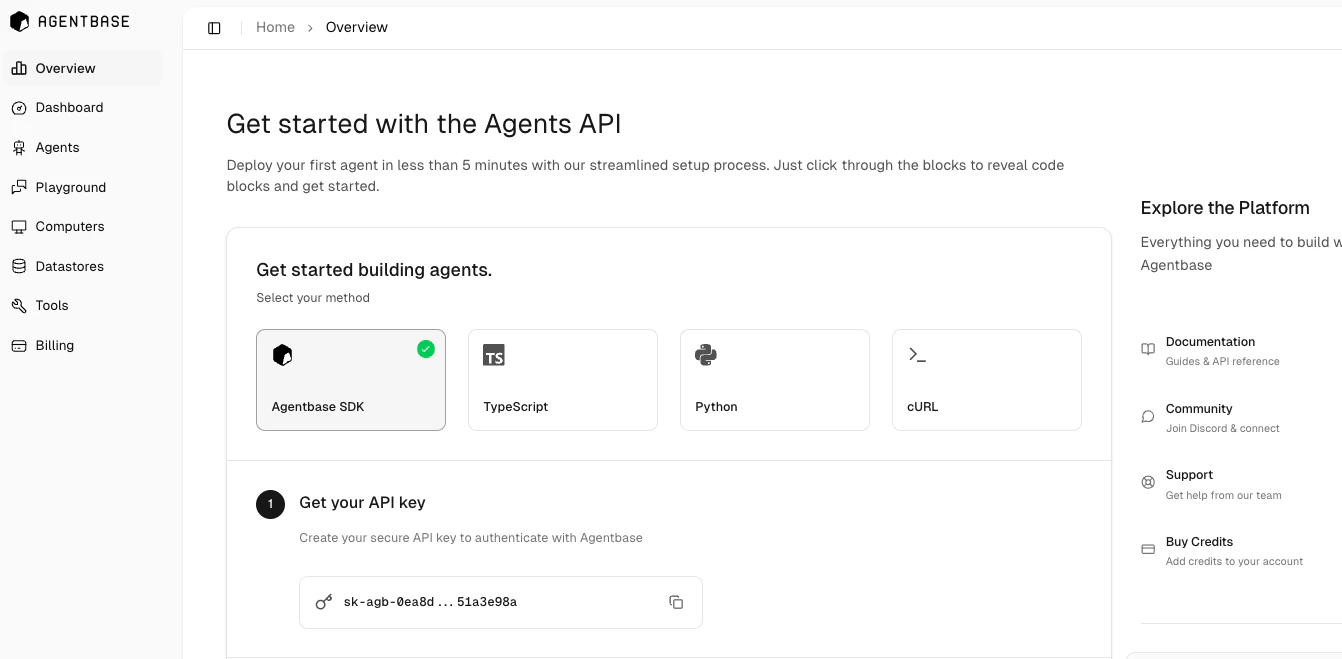
**Start in the app:** Visit the [overview page](https://base.agentbase.sh/overview) for a guided quickstart that walks you through:
1. **Choose your SDK** - TypeScript, Python, or cURL
2. **Get your API key** - Secure authentication setup
3. **Copy the bootstrap command** - One-click setup
4. **Select your agent mode** - Flash, Base, or Max
5. **Configure add-ons** - Optional integrations
The guided setup generates a ready-to-use code snippet you can paste directly into your IDE.
 ## Before you begin
* [Agentbase account](https://base.agentbase.sh/sign-up) with credits
* Node.js 18+ installed
Sign up with your work email to get free credits automatically!
## Step 1: Install and run
```bash theme={null}
# Create your agent project
npm create agentbase@latest
# Select to create a Next.js agent chat app or a terminal chat app
📦 Select a template:
1. agent-chat-nextjs (Next.js app)
2. terminal-chat (Terminal agent chat)
✔ Choose template (1 or 2) (1):
# Navigate and start
cd my-agent
npm run dev
```
You'll be prompted to add your API key on first use. You can get your API key from the [overview page](https://base.agentbase.sh/overview).
## Step 2: Test capabilities
Try these prompts in the CLI to understand what agents can do:
```
> What can you do?
> Write and run a Python function to calculate fibonacci numbers
> Search for the latest AI news and summarize it
> Create a React component for a user profile card
```
## Step 3: Understand agent modes
Change the mode in your `index.ts` file:
```typescript theme={null}
const params = {
message: message,
mode: "base", // "base", "flash", or "max"
};
```
**Mode differences:**
* **Flash**: Shows agent thinking process and steps
* **Base**: Balanced performance (recommended)
* **Max**: Advanced reasoning for complex tasks
You can also test your agents in the [Agentbase playground](https://base.agentbase.sh/playground).
## Need help?
* Join our [Discord](https://discord.com/invite/KFtqf7j9fs) for support
* Monitor usage at [base.agentbase.sh](https://base.agentbase.sh)
* Check [API examples](/api/example) for more patterns
## Before you begin
* [Agentbase account](https://base.agentbase.sh/sign-up) with credits
* Node.js 18+ installed
Sign up with your work email to get free credits automatically!
## Step 1: Install and run
```bash theme={null}
# Create your agent project
npm create agentbase@latest
# Select to create a Next.js agent chat app or a terminal chat app
📦 Select a template:
1. agent-chat-nextjs (Next.js app)
2. terminal-chat (Terminal agent chat)
✔ Choose template (1 or 2) (1):
# Navigate and start
cd my-agent
npm run dev
```
You'll be prompted to add your API key on first use. You can get your API key from the [overview page](https://base.agentbase.sh/overview).
## Step 2: Test capabilities
Try these prompts in the CLI to understand what agents can do:
```
> What can you do?
> Write and run a Python function to calculate fibonacci numbers
> Search for the latest AI news and summarize it
> Create a React component for a user profile card
```
## Step 3: Understand agent modes
Change the mode in your `index.ts` file:
```typescript theme={null}
const params = {
message: message,
mode: "base", // "base", "flash", or "max"
};
```
**Mode differences:**
* **Flash**: Shows agent thinking process and steps
* **Base**: Balanced performance (recommended)
* **Max**: Advanced reasoning for complex tasks
You can also test your agents in the [Agentbase playground](https://base.agentbase.sh/playground).
## Need help?
* Join our [Discord](https://discord.com/invite/KFtqf7j9fs) for support
* Monitor usage at [base.agentbase.sh](https://base.agentbase.sh)
* Check [API examples](/api/example) for more patterns